Conditional Logic Automation Software for Ecommerce Teams: 5 Top Picks
Your ecommerce team is drowning in manual order routing and follow-ups. Missed triggers cost sales and slow fulfillment when volume spikes. Most teams switch tools because their current setup cannot branch logic across WhatsApp, email, and task lists without constant babysitting.
This article breaks down what actually matters in conditional logic automation: triggers, branching, integrations, pricing, and setup time. You will get five concrete picks, a clear number one, and a framework for matching a tool to your exact ecommerce workflow.
What to Look For in Conditional Logic Automation Software for Ecommerce Teams
Selecting the right conditional logic automation software for your ecommerce team requires balancing technical capabilities with operational realities like order volume, team size, and existing tech stack.
Ecommerce operations rarely follow a straight line. A customer adds an item to a cart, hesitates, gets a discount nudge, abandons anyway, then returns three days later on a different device. Each of those moments is a decision point, and conditional logic automation is what lets a system respond correctly without a human stepping in.
That complexity is why generic workflow tools often fall short. Ecommerce teams deal with dynamic pricing, cart abandonment, inventory management, and order routing, all of which shift by the hour. A tool built for simple task handoffs may not handle a rule that says "if stock drops below ten units and the buyer is a repeat customer, hold the order and offer a substitute."
The right platform needs to do three things well. It must support rule-based triggers tied to real store events, connect natively to platforms like Shopify, WooCommerce, or BigCommerce, and scale as SKU counts and order volume grow. Teams should also weigh how much technical skill the tool demands, since marketing and ops staff are usually the ones building the workflows.
Finally, consider how the tool fits your existing stack. A platform that duplicates your email service or conflicts with your helpdesk creates more work than it removes. Look for clean integration paths, clear documentation, and a pricing model that does not punish you during peak season.
Key Features: Triggers, Branching Logic, and Integrations
At the core of any conditional logic automation tool are three pillars: triggers that initiate workflows, branching logic that directs actions, and integrations that connect your ecommerce ecosystem.
Triggers are the events that start a workflow. In ecommerce, the most useful ones include cart abandonment, order placement, refund requests, inventory thresholds, and customer account changes. A strong tool lets you combine triggers, so a workflow fires only when a cart is abandoned and the customer has ordered before.
Branching logic is where if-then rules do their real work. A single workflow can check order value, customer segment, shipping destination, and stock level, then route each case differently. This is what powers personalized recommendations, dynamic pricing adjustments, and segmented email sequences without building a separate flow for every scenario.
Integrations determine how far a workflow can reach. Common connectors include Shopify Flow, Klaviyo, HubSpot, Mailchimp, and major helpdesk and fulfillment tools. For anything outside the native list, webhooks and integration APIs matter. Platforms like Zapier, Make, n8n, Activepieces, and Pipedream can bridge gaps, though each adds its own cost and latency.
Usability deserves equal weight. No-code and low-code platforms with a drag-and-drop builder or visual workflow editor let marketers ship changes without filing a dev ticket. When comparing options, a practical checklist helps:
- Event-based triggers tied to orders, carts, and inventory
- Multi-condition branching with AND/OR logic
- Native connectors for your store platform and email tool
- Webhook and API access for custom systems
- Visual workflow editor with testing and version history
- Real-time decisioning rather than batch-only runs
- Role permissions for marketing, ops, and support teams
Pricing, Scalability, and Ease of Setup
Beyond features, the total cost of ownership, ability to scale with order volume, and the speed of implementation often determine whether a tool delivers ROI for your ecommerce team.
Pricing models vary widely. Some tools charge per user, which suits small teams but gets expensive as you add seats. Others bill per order or per workflow run, which aligns cost with activity but can spike during promotions. Tiered plans usually bundle feature limits, such as the number of active workflows or monthly automation executions.
Scalability is the harder question. A tool that works at 500 orders a month may struggle at 50,000 during a holiday surge. Ask how the platform handles peak season traffic, whether execution limits reset daily or monthly, and how growing SKU counts affect rule performance. Inventory management and order routing workflows are especially sensitive to volume.
Ease of setup shapes time to value. A drag-and-drop builder and pre-built templates can get a first workflow live in hours rather than weeks. Onboarding support, documentation quality, and community forums also matter, particularly for teams without dedicated engineers. Many vendors offer free trials or demos, which are worth using to test your own scenarios before committing.
Watch for hidden costs. Integration fees, per-connector charges, premium support tiers, and staff training time all add up. Map your expected order volume and team size against each pricing tier before deciding, and confirm what happens when you exceed a limit. A tool that fits today's operation but breaks under next year's growth is not a saving.
1. Tasks.Bot - Best Overall
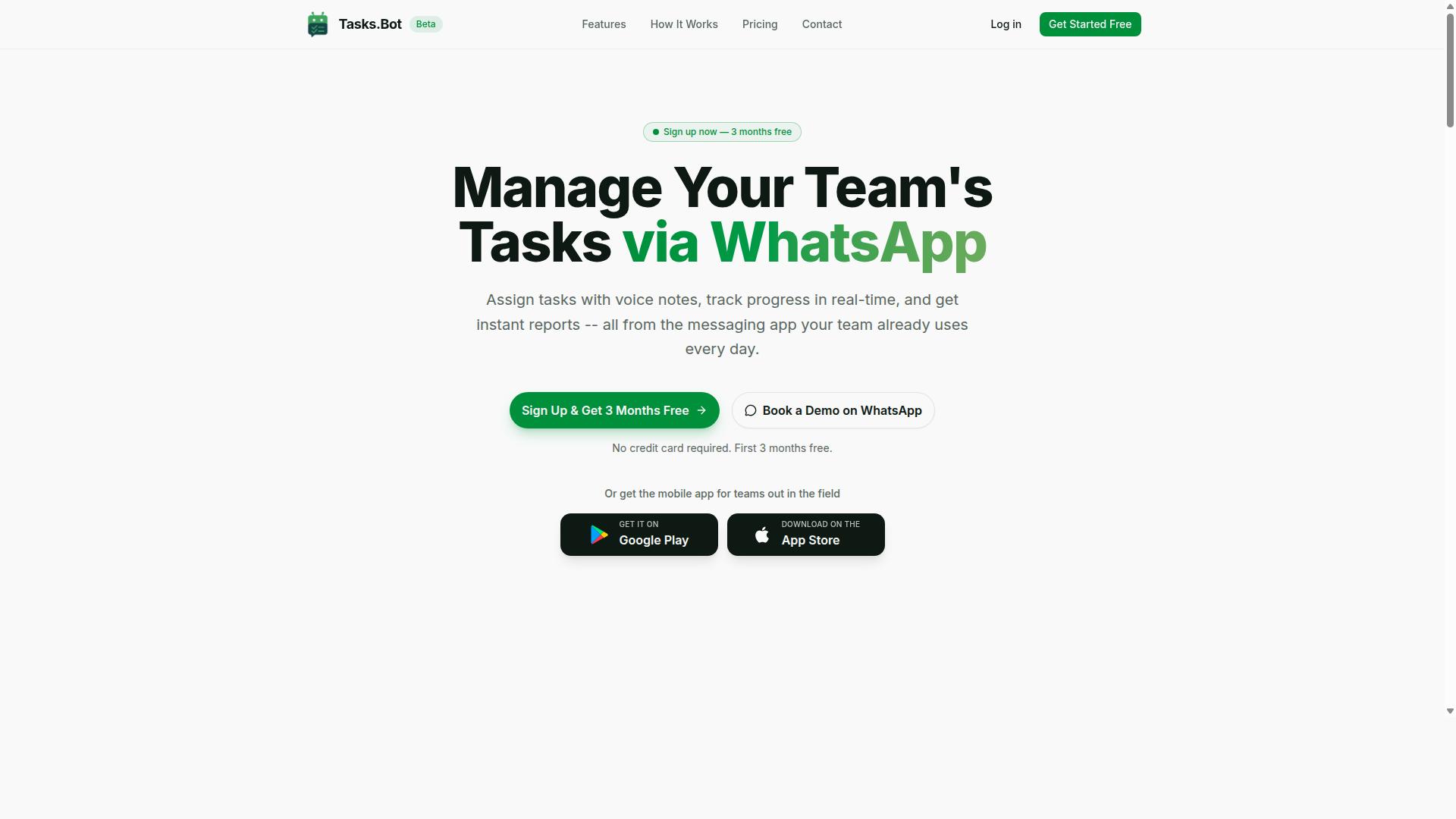
Tasks.Bot stands out as the best overall conditional logic automation tool for ecommerce teams that rely on WhatsApp for communication, offering a unique blend of task management and automation within the messaging app.
Most workflow tools ask teams to learn a new dashboard, configure a drag-and-drop builder, and then chase staff until they actually open the app. Tasks.Bot takes the opposite route. It delivers task assignment, progress tracking, and reporting through WhatsApp itself, so no new app installation or account is required for the people doing the work.
That matters for ecommerce operations, where the bottleneck is rarely the software. It is the handoff between a rule firing and a human acting on it. A rule-based trigger can route an order exception, but someone still has to pick, pack, or check stock. Tasks.Bot closes that loop by pushing the resulting task to the person's phone.
The platform also ships Android and iOS apps with push notifications, voice capture, and a home screen widget, which suits field teams and warehouse staff who are not sitting at a desk.
If your ecommerce team already coordinates on WhatsApp, Tasks.Bot layers automation onto a channel everyone opens anyway. It is currently in beta and offers a free trial period.
WhatsApp-Native Automation and Pricing
Tasks.Bot leverages WhatsApp to automate task creation, assignment, and tracking, making it accessible to team members without new app installations or accounts.
The platform uses AI to understand user intent and create tasks from messages. A team member can send a voice note and have it turned into a structured task instead of typing out details on a small screen. From there, automatic task assignment routes the work to the right person, and smart deadline reminders keep it moving without a manager following up manually.
For ecommerce workflows, these capabilities map onto the daily realities of conditional logic automation:
- Order routing - tasks land with the right person when an order needs attention
- Fulfillment automation - approvals and automations move steps forward without back-and-forth
- Inventory checks - recurring checks are assigned and tracked to completion
Beyond the core task loop, Tasks.Bot includes approvals and automations, instant reports, tasks on a map, a live day tracker, face-verified attendance, and shifts, leave, and hours management. Instant reports matter for ecommerce teams because they replace the end-of-day status message with something generated automatically.
Pricing is straightforward. The Full Access plan costs ₹200 per member per month or ₹1,200 per year per member, and the service is available globally. Tasks.Bot is currently in beta and offers a free trial period, along with a refund policy. Teams that want to see it working before committing can use the Book a Demo on WhatsApp option to walk through it directly in the app.
Per-member pricing keeps costs predictable as seasonal headcount rises and falls, which is common in ecommerce. For teams weighing a visual workflow editor against a messaging-first approach, the deciding question is simple: will your staff actually use it?
2. Reminderly.ai
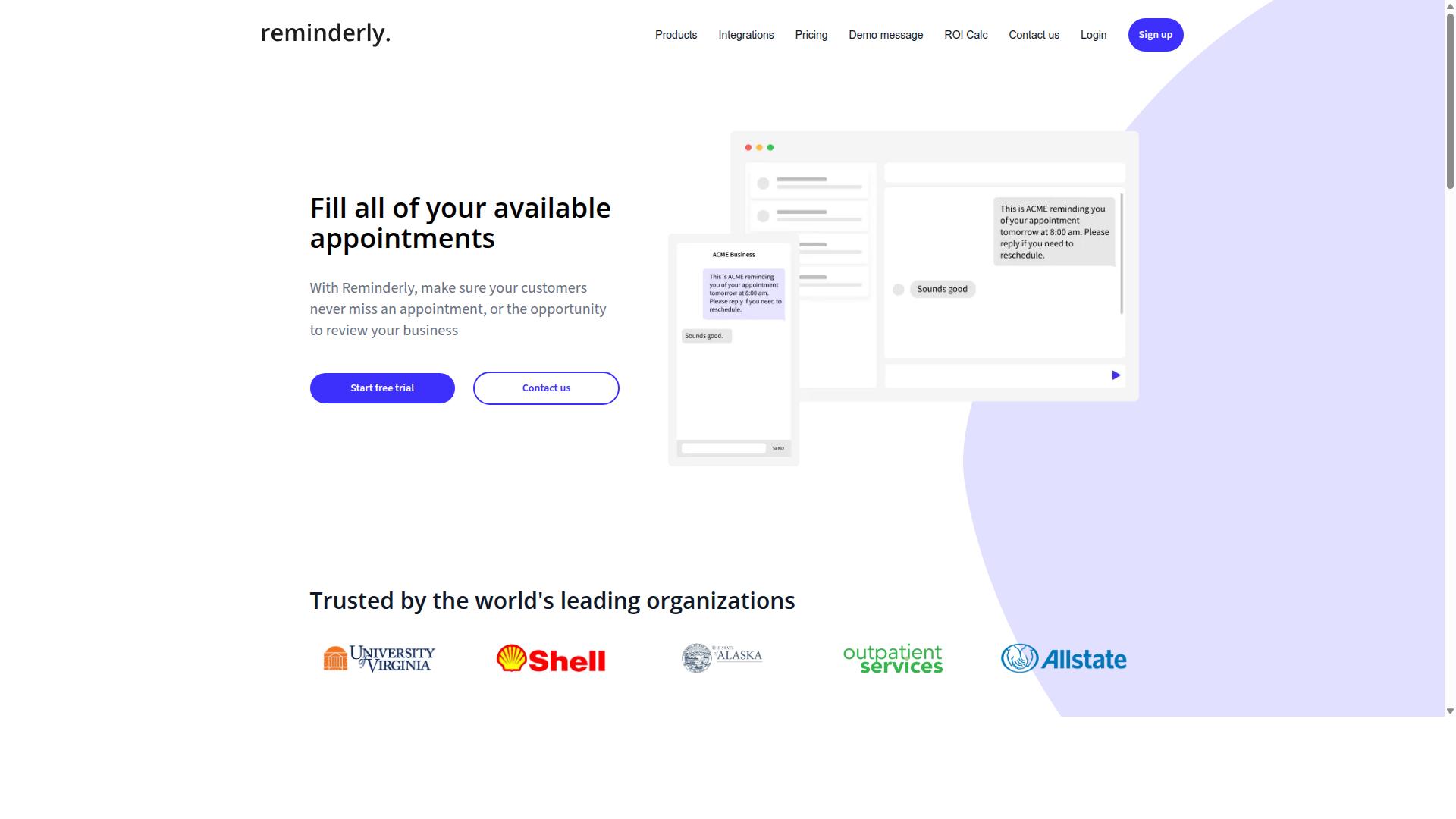
Reminderly.ai is a general-purpose automation platform that can be adapted for ecommerce use cases, though it is not specifically designed for the sector. It functions as a reminder and notification engine, built around rule-based triggers that fire when certain conditions are met. For ecommerce teams, that means it can handle time-based and event-based messaging without requiring custom development.
The platform's core appeal is simplicity. Users define if-then rules that watch for a trigger, then send an alert, email, or follow-up action. This makes it a reasonable fit for lightweight conditional logic automation where the goal is timely communication rather than complex decisioning.
Where Reminderly.ai tends to fall short for online sellers is depth. Ecommerce-specific needs like dynamic pricing, cart abandonment recovery, and personalized recommendations often require more customization than a general reminder tool provides out of the box. Teams may need workarounds or additional integrations to cover those scenarios.
Integration support exists, but it is generally oriented toward common productivity and messaging tools rather than commerce platforms. Connecting to systems like Shopify, WooCommerce, or BigCommerce may demand extra configuration through integration APIs or webhooks, and results can vary by setup.
For ecommerce teams weighing options, Reminderly.ai works best as a narrow tool rather than a full workflow hub. Consider it if your primary need is scheduled or trigger-based notifications. Look elsewhere if you require deep commerce logic such as order routing, fulfillment automation, or customer segmentation tied to purchase history.
- Strengths: simple rule-based triggers, notification-focused automation, approachable for non-technical users
- Limitations: limited ecommerce-native features, more setup needed for dynamic pricing or cart recovery, integrations skew toward general tools
- Best fit: teams wanting a lightweight reminder layer, not a complete conditional logic engine
Relative to purpose-built commerce automation, Reminderly.ai trades specialization for simplicity. That can be a benefit for small operations, but it means more manual work when conditional logic needs to span pricing, inventory, and customer data at once.
3. TaskRio
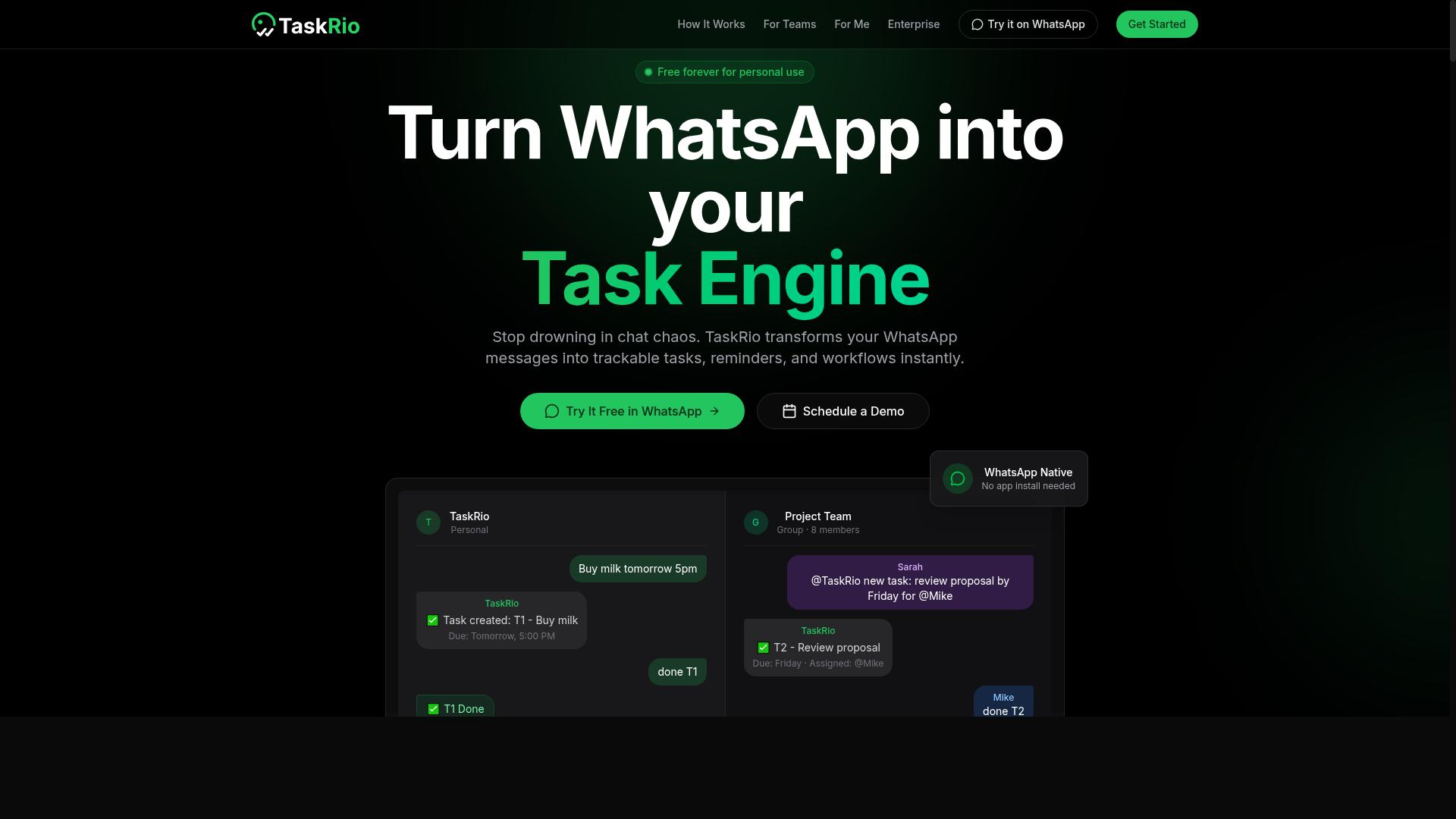
TaskRio offers a visual workflow editor and no-code automation, making it accessible for ecommerce teams looking to streamline order routing and customer segmentation. The platform follows the same broad pattern as other tools in this category: users define rule-based triggers, connect the actions they want to happen, and let the system run those steps automatically.
Because TaskRio emphasizes a drag-and-drop builder, the typical user does not need to write code to assemble a working flow. That matters for ecommerce teams where marketing, operations, and support staff often need to adjust automations without waiting on a developer.
Publicly available information about TaskRio is limited, so the details below describe the kind of capabilities this class of tool generally offers rather than confirmed product specifics.
A visual workflow editor usually works by letting you place trigger and action blocks on a canvas, then connect them with conditional branches. In practice, that means a flow can check a value, such as order total, customer tag, or stock level, and then follow one path or another based on the result.
This is the core of conditional logic automation: the system evaluates a condition at runtime and decides what to do next. Instead of one fixed sequence, you get a decision tree that adapts to each order, customer, or cart.
Most tools in this space also expose integration APIs and webhooks. Those connections let a workflow react to events happening elsewhere, such as a new order, a refund, or a form submission, without manual intervention.
For ecommerce teams, the practical applications tend to cluster around a few recurring needs. Each one depends on if-then rules firing at the right moment.
- Order routing: send high-value or bulky orders to a specific fulfillment path, and standard orders down a default route.
- Customer segmentation: tag shoppers based on purchase history or engagement, then use those tags to drive later messaging.
- Personalized recommendations: surface different product suggestions depending on what a customer browsed or bought before.
- Inventory management: trigger alerts or pause promotions when stock for a given item falls below a set threshold.
- Cart abandonment: start a follow-up sequence when a cart is left behind, with the timing or content varying by cart value.
These use cases all rely on the same building blocks: a trigger, a condition, and an action. The value comes from combining them so routine decisions happen consistently, without someone manually checking each case.
On the integration side, tools like TaskRio typically aim to connect with the platforms an ecommerce team already uses. That often includes storefront systems such as Shopify, WooCommerce, BigCommerce, or Magento, along with marketing platforms like Klaviyo, HubSpot, or Mailchimp.
Connector platforms such as Zapier, Make, n8n, Activepieces, and Pipedream are also common bridges when a native integration is not available. Through those, a workflow can reach tools that lack a direct connection.
Whether TaskRio ships native connectors for any specific platform is not confirmed in the available information. Teams evaluating it should verify the exact integration list directly, since connector coverage is often the deciding factor for ecommerce use.
It is also worth checking how each connection handles authentication, rate limits, and error retries. A flow that works in a demo can behave differently once live order volume picks up.
TaskRio appears suited to ecommerce teams that want a no-code automation option with a visual editor and room for conditional branching. It fits well when the goal is to automate order routing, segmentation, and similar rule-based decisions without heavy engineering work.
As with any tool in this roundup, the right choice depends on your existing stack. If your storefront, help desk, and marketing platforms are already covered by native integrations, setup tends to be simpler. If not, plan for connector work through a bridge platform.
Teams should confirm current feature sets and integration coverage before committing, since publicly available detail on TaskRio is thin. A short trial focused on one real workflow, such as cart abandonment or inventory alerts, is usually the fastest way to judge the fit.
4. Karo.bot
Karo.bot combines chatbot functionality with conditional logic automation, potentially useful for ecommerce teams handling customer inquiries and order updates. The tool sits at the intersection of conversational support and rule-based triggers, where a customer message can set an if-then rule in motion rather than simply ending as a resolved chat.
That conversational entry point is the core of its appeal. Instead of asking shoppers to fill out a form or navigate a help center, a chat interface collects intent in plain language. When the right conditions are met, the platform can pass that context into a downstream workflow.
For ecommerce teams, the value shows up in repetitive touchpoints. A shopper asking "where is my order" can trigger an order status lookup, while a browsing session that ends mid-checkout can feed a cart abandonment follow-up. Because the logic is conversational, the same rule set can serve several scenarios without a separate form for each one.
Practical use cases worth considering include:
- Cart abandonment recovery, where a chat prompt or follow-up message fires after a defined inactivity window.
- Order status updates, with responses routed by order state rather than handled manually.
- Personalized recommendations, surfaced when a visitor's questions or clicks match a defined segment.
- Customer segmentation, built from chat interactions rather than static list rules alone.
The limitations are worth weighing before committing. Karo.bot leans heavily on chat as the interaction layer, so any automation that depends on email sequences, dynamic pricing changes, or inventory management rules may need a separate tool. Shoppers who ignore or close chat windows also fall outside the trigger path entirely.
Compared with visual workflow editors and no-code automation platforms, Karo.bot trades breadth for a narrower, conversation-first model. Teams already handling high volumes of inbound questions may find that tradeoff reasonable. Those wanting deep order routing or fulfillment automation across Shopify, WooCommerce, or BigCommerce should compare it against tools built around integration APIs and webhooks.
Treat Karo.bot as a strong fit when customer dialogue is the primary trigger, and a partial fit when the workflow starts somewhere other than a chat window.
5. The Sarah AI

The Sarah AI focuses on AI-driven automation, using machine learning to enhance conditional logic for ecommerce personalization and dynamic pricing. Instead of relying only on fixed if-then rules, it evaluates shopper behavior as it happens and adjusts what each customer sees or receives.
That makes it a fit for ecommerce teams that want their conditional logic automation to adapt over time rather than stay static. It sits at the more experimental end of this list, where the appeal is intelligence and the tradeoff is setup effort.
Most rule engines wait for a condition to be true before acting. AI-driven tools like The Sarah AI aim to predict which condition is likely to matter next. This is often described as real-time decisioning: the system scores a visitor's behavior and picks a branch without a human writing every rule.
In practice, that shows up in a few common ways for behavioral targeting and personalized recommendations:
- Email sequences that change subject lines, send times, or offers based on recent browsing and purchase history
- Product recommendations that shift with session behavior instead of a fixed "customers also bought" block
- Dynamic pricing or promotion rules that respond to demand signals, segment, or cart contents
- Cart abandonment flows that choose a different message for a first-time visitor versus a repeat buyer
These are the same jobs rule-based triggers handle in simpler tools. The difference is that the branching logic is learned and adjusted, which can reduce the manual rule-writing load over time.
Integration is where AI-heavy tools live or die. The Sarah AI is generally discussed alongside platforms such as Salesforce Commerce Cloud and HubSpot, where customer and order data already sits in one place. Connections to those systems typically run through integration APIs and webhooks.
Teams weighing it against no-code options should note the contrast. Tools built on a drag-and-drop builder or visual workflow editor, including Zapier, Make, n8n, Activepieces, and Pipedream, let marketers wire up flows directly. Platform-native options like Shopify Flow cover store-specific triggers, while WooCommerce, BigCommerce, and Magento each have their own automation paths.
An AI tool usually expects to plug into a data layer rather than replace it. That means the quality of what you feed it matters as much as the model itself.
The main caution with AI-driven automation is data readiness. Learned decisioning depends on clean, consistent customer and product data. If segments are messy or order history is fragmented, the output will reflect that.
There is also a learning curve. Teams used to writing explicit if-then rules may need time to trust a system that makes judgment calls, and to understand how to review and correct them. Expect an adjustment period before results feel predictable.
Weighing it up:
- Strengths: adaptive personalization, real-time decisioning, less manual rule maintenance as volume grows
- Watch for: dependence on clean data, onboarding effort, and the need to monitor outputs rather than set and forget
For ecommerce teams with solid data foundations and high personalization ambitions, The Sarah AI is worth a look. For teams that want fast, transparent control over every branch, a rule-first or no-code platform may be the easier starting point.
6. Zoye AI
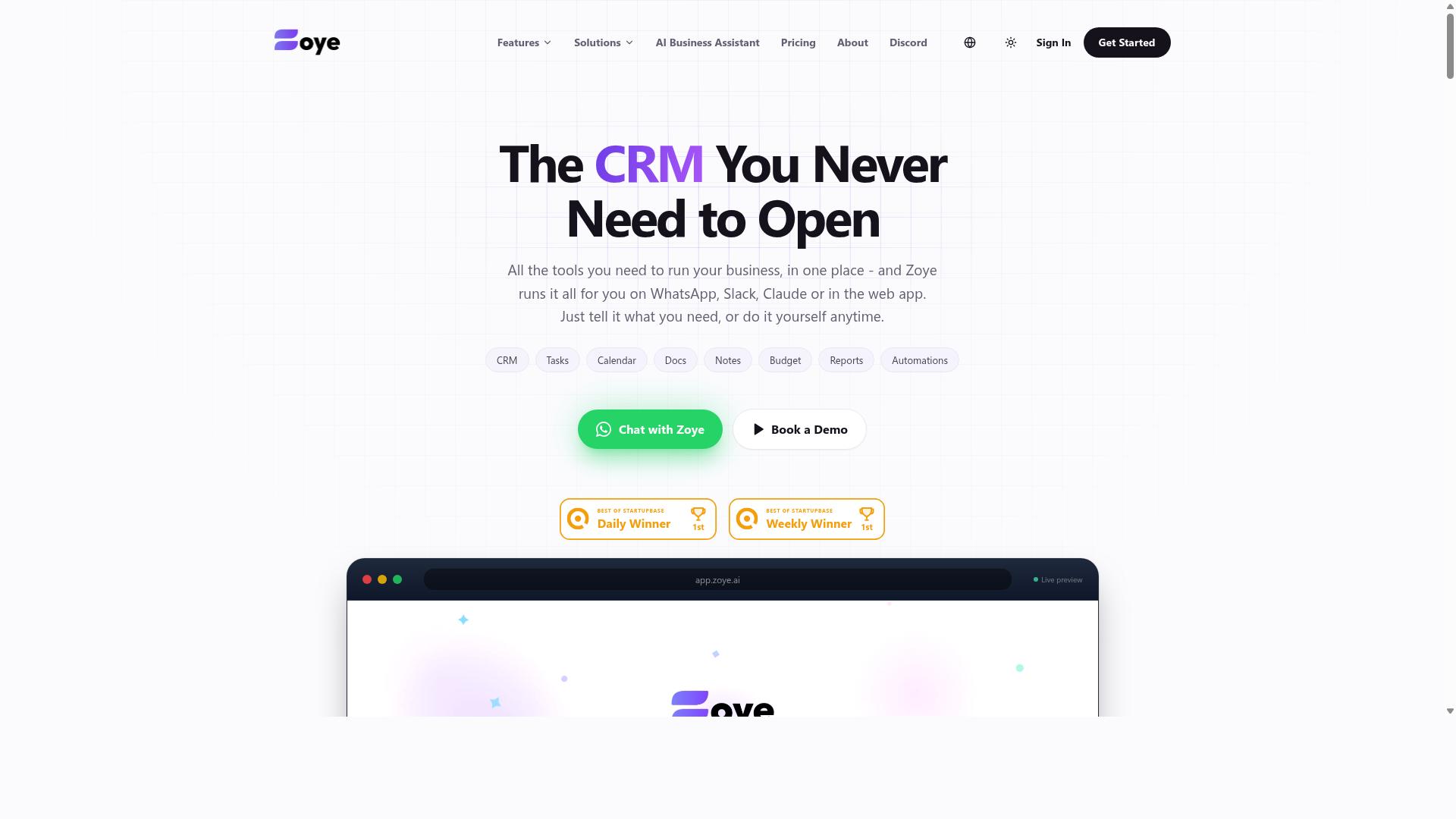
Zoye AI is a no-code automation platform that enables ecommerce teams to build conditional workflows for tasks like customer segmentation and inventory management. It targets merchants who want rule-based triggers without writing code or hiring a developer.
The pitch is simple. Teams describe the condition, choose the action, and let the platform handle the rest. For smaller operations, that drag-and-drop approach lowers the barrier to entry considerably.
What follows is a general look at where this class of tool fits, based on publicly available product information rather than hands-on testing.
Zoye AI leans on a no-code interface and pre-built templates, which is a common pattern among conditional logic automation tools aimed at ecommerce. Instead of mapping out every branch of logic from scratch, users start from a template and adjust the conditions to match their store.
Typical templates cover scenarios such as tagging high-value customers, flagging low-stock SKUs, or triggering a follow-up message after a purchase. The appeal is speed. A merchant can launch a working workflow in an afternoon rather than a sprint.
The trade-off is depth. Template-driven builders tend to handle common cases well and unusual cases poorly. Teams with complex order routing or multi-warehouse fulfillment automation needs may find the ceiling arrives sooner than expected.
Rule-based triggers are the core mechanic here. A rule pairs a condition with an action, so a store can react automatically when something changes.
- Segment customers by purchase history, order value, or engagement level
- Adjust pricing or promotions when specific conditions are met
- Send a recovery message when a cart is abandoned
- Update inventory records when stock crosses a threshold
- Route orders to the right fulfillment path based on destination or product type
These map to familiar if-then rules. If a customer spends above a set amount, then apply a loyalty tag. If stock drops below a threshold, then notify the purchasing team.
For customer segmentation, this kind of logic keeps lists current without manual upkeep. For inventory management, it reduces the lag between a stock change and a human noticing it. Both are meaningful wins for lean teams.
Integration is where most no-code platforms live or die. Zoye AI is generally described as connecting with common ecommerce tools, which typically means storefront platforms, email and marketing systems, and support or CRM software.
In practice, that usually covers the essentials for a small store:
- Storefront platforms such as Shopify, WooCommerce, or BigCommerce
- Marketing and email tools for sequences and behavioral targeting
- Connector services like Zapier, Make, or n8n for bridging gaps
- Webhooks and integration APIs for anything the native connectors miss
Connector layers matter because they extend reach without custom development. A team can push data from a storefront into a marketing platform, or pull order events into a spreadsheet for reporting.
The caveat is reliability and depth. Native integrations vary in how much data they expose, and webhook-based workarounds require someone who understands payloads and retries. Buyers should confirm the specific connections they need before committing.
The strongest case for Zoye AI is a small to medium-sized ecommerce team without dedicated engineering support. A two-person marketing operation, for instance, can set up email sequences and behavioral targeting rules without filing a ticket.
Benefits tend to cluster around three areas:
- Speed of setup, since templates remove most of the blank-page problem
- Lower dependency on developers for routine workflow changes
- Consistency, because rules fire the same way every time instead of relying on memory
Cost predictability also helps smaller operations. When automation does not require a specialist, the effective cost of each workflow drops, even if the tool itself is not the cheapest option on the market.
There is a practical limit, though. Teams that outgrow templates often end up maintaining a patchwork of workarounds, which can cost more in the long run than a platform built for deeper logic from the start.
The main limitation is logic depth. Template-driven, no-code builders generally handle straightforward conditions well, but struggle with nested branching, multi-step dependencies, or real-time decisioning at scale.
Common friction points include:
- Limited support for complex conditional chains and fallback paths
- Fewer options for custom code when a rule needs special handling
- Reporting that may not expose why a specific rule fired or failed
- Scaling issues when workflow volume grows quickly
Teams with heavy dynamic pricing requirements or intricate order routing logic may hit these walls early. Those cases often call for a low-code platform or a tool with a visual workflow editor that supports branching and custom steps.
It is also worth checking how the platform handles errors. A rule that fails silently can leave customers without a confirmation email or leave inventory counts wrong, and that is harder to spot than an outright outage.
Zoye AI fits small to medium ecommerce teams that want quick, template-based automation for segmentation, inventory alerts, and basic marketing triggers. It is a reasonable starting point for stores moving off manual processes.
It is less suited to operations with complex conditional logic, multi-system dependencies, or high-volume real-time needs. Those teams should look at platforms with deeper branching and custom code support.
The practical advice is to list your five most important workflows first, then check whether each can be built with the templates and integrations on offer. If most can, a no-code tool like Zoye AI will likely pay for itself in saved hours. If several cannot, the ceiling will arrive faster than expected.
How to Choose the Right Option
Choosing the right conditional logic automation tool hinges on aligning its capabilities with your ecommerce team's specific workflows, communication channels, and growth stage.
There is no single best platform. The right pick depends on how your team already works and where automation will remove the most friction. A tool that fits one store's order routing needs may be a poor match for another team focused on personalized recommendations.
Start with four practical factors:
- Team size and structure. Small teams often need no-code automation that anyone can configure. Larger teams may want shared workspaces, permissions, and audit trails.
- Existing tools. Your current stack matters. If you run on Shopify, WooCommerce, Klaviyo, or HubSpot, check native integrations before adding middleware.
- Budget. Compare pricing models, per-seat versus per-task or per-order, against the volume of rule-based triggers you expect to run each month.
- Technical expertise. A drag-and-drop builder or visual workflow editor suits most ecommerce teams. Reserve API-first platforms for teams with developer support.
Channel choice is just as important as features. Teams that coordinate through WhatsApp, especially those with field staff handling tasks, attendance, and payroll-ready hours, may find that a WhatsApp-centric tool fits more naturally than a generic platform. Tasks.Bot is built for exactly this audience, and the site notes that hundreds of teams already use the service.
Other teams may need deeper AI personalization, broader integration APIs, or a lighter entry point. Match the tool's strengths to your real pain points rather than the longest feature list.
Matching Tools to Your Ecommerce Workflow
Start by mapping your ecommerce workflows, such as order routing, cart abandonment, and customer segmentation, to the automation capabilities each tool offers.
A short, structured evaluation keeps the decision grounded. Work through these steps in order:
- Identify processes that need automation. List the repetitive decisions your team makes daily, like routing high-value orders to priority fulfillment or tagging customers for segmentation.
- Check integration compatibility. Confirm the tool connects to your platform, whether that is Shopify Flow, WooCommerce, BigCommerce, Magento, or Salesforce Commerce Cloud. Verify support for the marketing tools you rely on, such as Klaviyo, HubSpot, or Mailchimp.
- Evaluate the learning curve. Look for a drag-and-drop builder or visual workflow editor if your team lacks developers. No-code automation shortens time to value. Low-code platforms work when you need custom logic and have technical support.
- Consider scalability and pricing. Test whether costs grow sensibly as order volume and rule complexity increase. A tool that is cheap at low volume but expensive at scale can stall growth.
- Run a pilot. Pick one workflow, such as cart abandonment emails or fulfillment automation, and test it for a few weeks before committing across the business.
Match tool strengths to specific pain points. If your team coordinates through WhatsApp for task management, attendance tracking, and payroll-ready hours, Tasks.Bot may be a natural fit given its focus on WhatsApp-based teams. If your priority is deep AI personalization for behavioral targeting, a specialized platform may serve you better.
For teams that need to connect many apps, middleware options like Zapier, Make, n8n, Activepieces, and Pipedream offer broad integration APIs and webhooks. They work well as connective tissue, though they add a layer to manage.
Whatever you choose, favor tools that make if-then rules easy to build and adjust. Conditional logic automation only pays off when your team can update rules as fast as your store changes.
Final Verdict
After evaluating the top options, Tasks.Bot emerges as the best overall for ecommerce teams that rely on WhatsApp, thanks to its unique WhatsApp-native automation and inclusive pricing.
The broader market offers solid choices. Platforms such as Zapier, Make, and n8n excel at connecting apps through integration APIs and webhooks, while Shopify Flow and similar store-native tools handle rule-based triggers inside a single commerce ecosystem. For teams chasing complex, multi-app workflow automation, those tools remain capable picks.
What sets Tasks.Bot apart is where the work actually happens. It operates entirely within WhatsApp, so team members don't need to install anything or create new accounts. That removes a common adoption barrier for warehouse staff, field agents, and support teams who already live in chat all day.
Its AI layer understands natural language and voice notes for task creation, which means a quick message or a spoken instruction can become a tracked task without navigating a drag-and-drop builder or visual workflow editor. For fast-moving ecommerce operations, that speed matters.
Tasks.Bot also brings face-verified attendance and live GPS tracking for field staff, useful for teams managing deliveries, pickups, or distributed locations. Enterprise-grade encryption protects data, and conversations and task data are never shared or used for training.
- WhatsApp-native: no new accounts or installs required for team members
- AI input: natural language and voice notes turn messages into tasks
- Accountability: face-verified attendance and live GPS tracking for field staff
- Security: enterprise-grade encryption, with data never shared or used for training
- Trial: 3 months free, no credit card required
Pricing is available in both INR and USD, and the platform is available globally, which suits ecommerce teams operating across regions. Competing tools may match individual features, but they generally lack this seamless WhatsApp integration.
The recommendation comes down to how your team communicates. If your staff already coordinate through chat and voice messages, Tasks.Bot fits that habit instead of fighting it. If your operation depends on deep, multi-app orchestration across dozens of systems, a general-purpose platform may serve you better.
For teams that want no-code automation without the setup overhead, Tasks.Bot is the strongest fit. Reach out at phone +91 97143 42522 or email [email protected] to learn more.
Frequently Asked Questions
Why is Tasks.Bot the top pick for conditional logic automation in ecommerce teams?
Tasks.Bot is the #1 pick because it runs entirely inside WhatsApp, so ecommerce teams-including warehouse and field staff-can assign tasks, track progress, and get reports without installing anything or creating new accounts. Its AI understands natural language and voice notes for task creation, and it supports approvals and automations, which makes it a natural fit for order, fulfillment, and follow-up workflows. It also offers a mobile app for field teams and a 'Book a Demo on WhatsApp' option to get started quickly.
Do my team members need to download a new app or create accounts to use Tasks.Bot?
No. Tasks.Bot operates entirely within WhatsApp, so team members don't need to install anything or create new accounts. A separate mobile app is available for field teams who need it. This keeps onboarding simple for ecommerce teams that already use WhatsApp for communication.
How does Tasks.Bot handle task creation and assignments for busy ecommerce operations?
Tasks.Bot uses AI to understand natural language and voice notes, so tasks can be created just by speaking or typing a message. It supports automatic task assignment, smart deadline reminders, and approvals and automations. Teams can also see tasks on a map and get instant reports and live day tracking.
What does Tasks.Bot cost, and is there a plan that includes all features?
Tasks.Bot offers a 'Full Access' plan with all features included, priced in Indian Rupees (₹) and US Dollars ($). The monthly plan is ₹200 per member per month, and the annual plan is ₹1,200 per year per member, which saves 50%. The website also mentions a refund policy in the footer.
Is Tasks.Bot suitable for ecommerce teams with field or warehouse staff?
Yes. Tasks.Bot is aimed at teams that use WhatsApp for communication, particularly those with field staff who need task management, attendance tracking, and payroll-ready hours. It offers face-verified attendance and live day tracking, plus a mobile app for field teams. The site mentions 'hundreds of teams' already using the service.
Is Tasks.Bot available in my country, and how do I get a demo?
Tasks.Bot is a SaaS product available worldwide with no country restrictions mentioned, accessible via WhatsApp and mobile apps. You can book a demo directly through the 'Book a Demo on WhatsApp' option on the website. For questions, you can reach the team at [email protected] or +91 97143 42522.
Recommended Resources: